


Warehouse Movements in SAP
SiMA Warehouse Movements
Mobility and great user experience for warehouse operations. Operations with traceability, digital signature, barcodes and 100% paperless.
What is SiMA?
SiMA is Innova's mobility application for warehouse operations in SAP. It supports every warehouse operation — goods receipts, transfers, stock transfers, physical inventory, reservation creation, picking and goods issues — with QR or barcode scanning, digital signature and photo support, in a 100% paperless operation that removes manual typing and its errors.
+150 companies · +12 years in SAP · SAP PartnerEdge · 4–8 week implementation · No per-user fees
Main functions
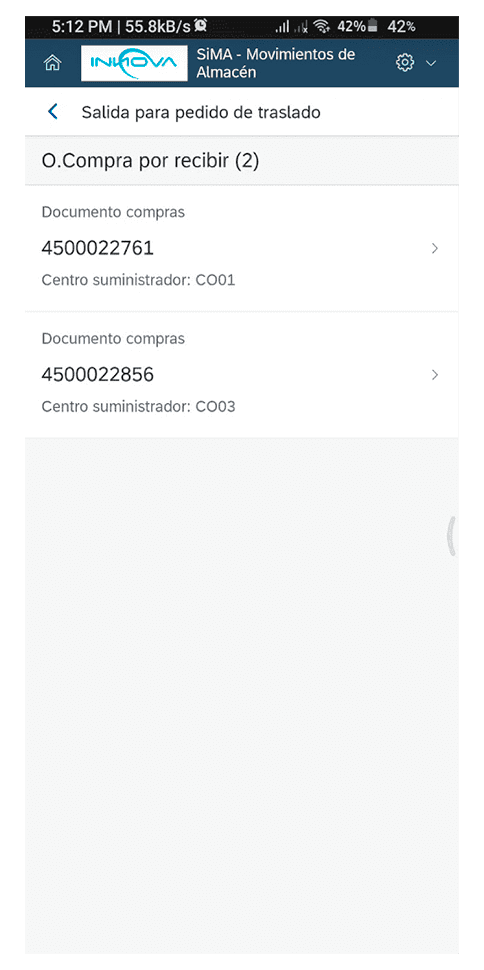
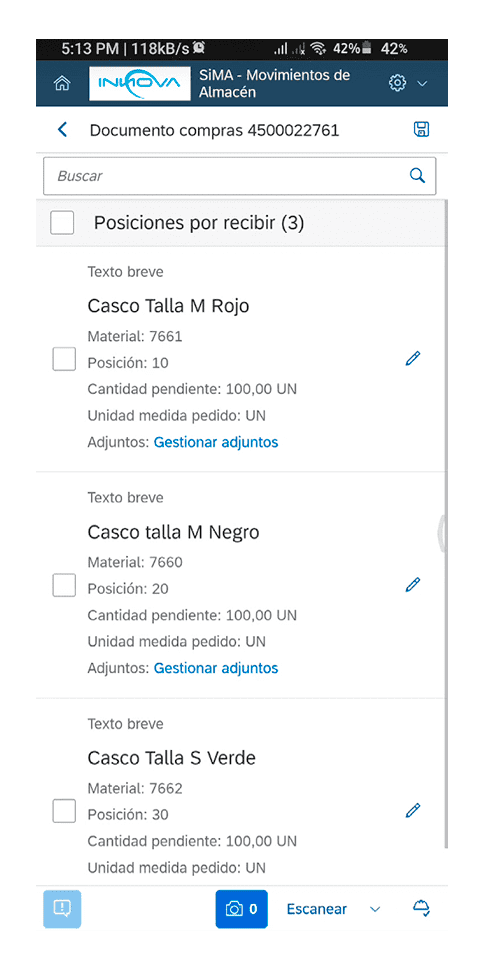
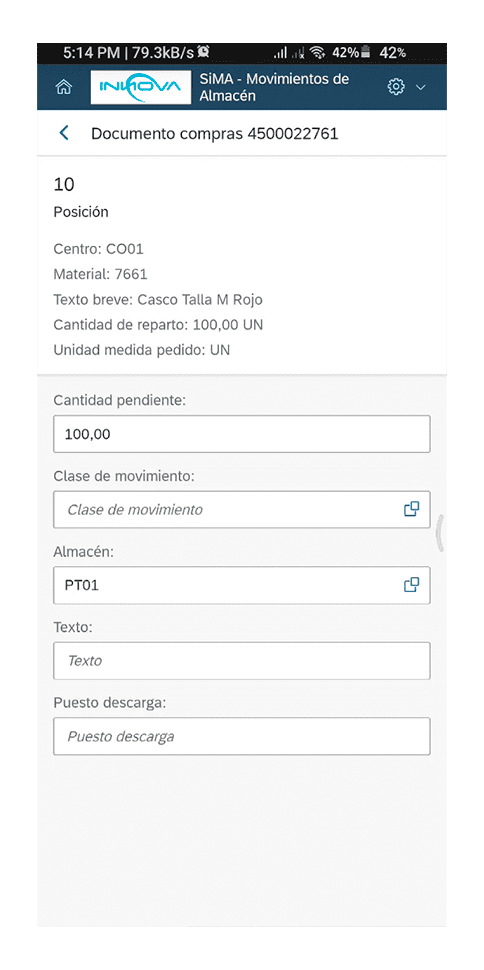
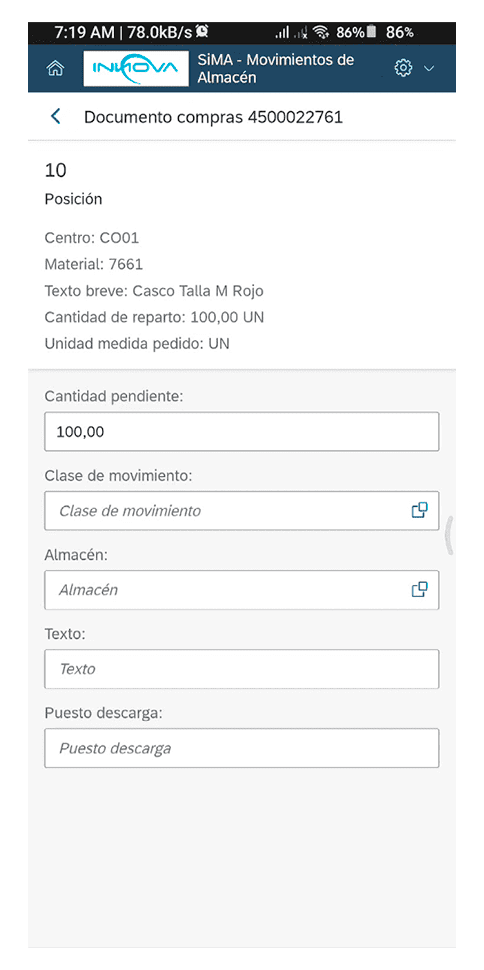
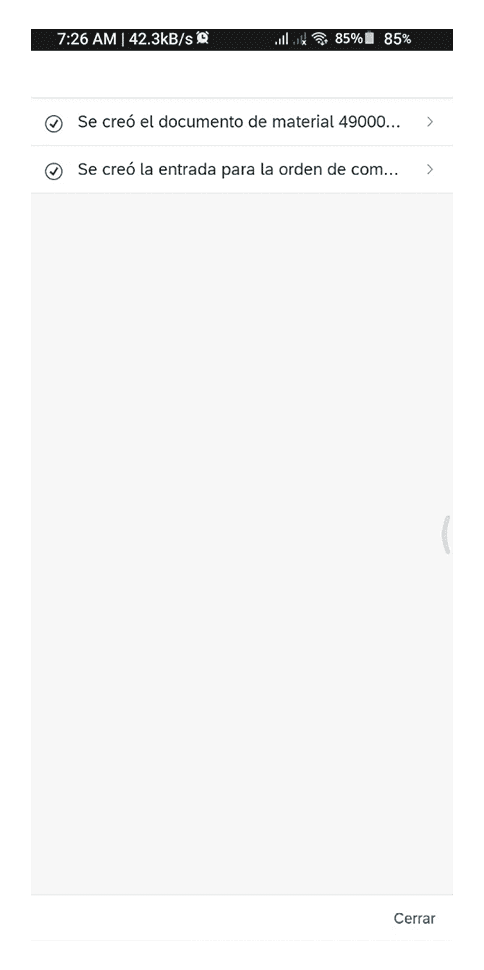
Goods receipt for orders
Locate purchase orders by order number, supplier, material, or many other criteria, using barcode or QR scanning.
Register incoming goods online, with options for signature and support document generation, or label printing.
Output management for reservations
With SiMA, managing your bookings has never been easier. Record partial or total releases by simply selecting the reservation, maintenance or production order. Document all your operations with photographic records, signatures and geolocation to guarantee traceability at all times, 100% digital.
Goods receipt for production orders
Timely registration and no transcription errors in your manufacturing orders.
With SiMA you will be able to record incoming goods in real time and on site, eliminating the need for paper records.
Goods issues and receipts for transfer orders
Picking of Outbound Deliveries
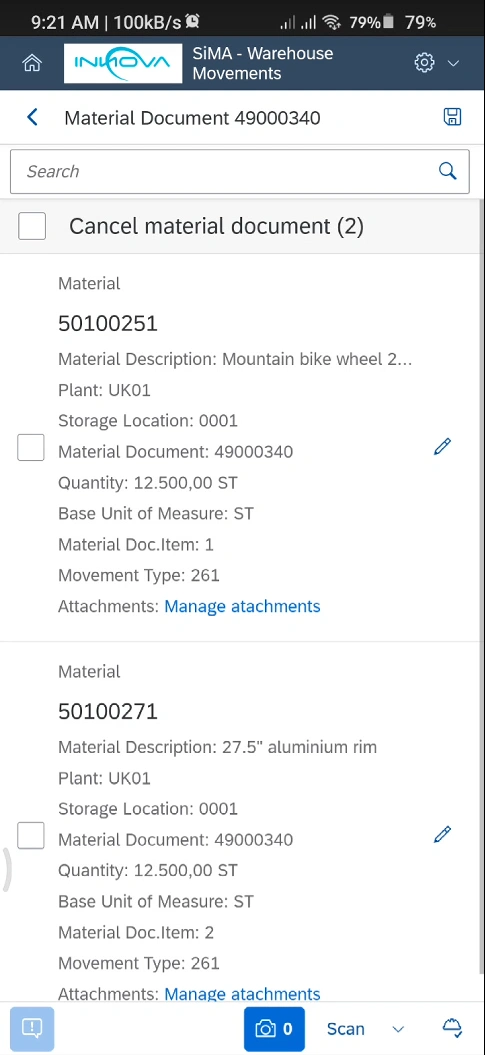
Cancel material document
With SiMA, you can reverse material documents and correct errors without the need for third party or SAP GUI access.
This allows you to correct any errors online and have a reliable and agile operation.
Service Entry Sheet
Record your contractors’ deliveries of goods and services.
It provides you with the tool to carry out this control at the place where the works or services are performed, avoiding errors and discrepancies in the registration of deliveries and ensuring compliance with your service requirements.
Physical inventory
WM Operations
Schedule your DEMO
Easy to know.
In 30 – 45 minutes we present you our solutions, online.
So you can see in detail how your processes will be optimized in SAP.

Benefits
Learn about the advantages of implementing our apps
For the IT department
Easy to implement
You just need to import the installers and transport them to each client, like any other change in SAP and deploy the front-end component according to your convenience (SaaS, on client web server, Fiori, SAP BTP).
Secure
With the SAP standard authorization objects and some of the App’s own authorization objects, it is ensured that control and segregation of duties is maintained by means of SAP standard user and role management.
No maintenance or support
With the Warranty, Support and Upgrades service, Innova is responsible for maintaining compatibility with the latest versions of the system, as well as support and clarification of doubts with users.
For the entire company
Reduced hardware hardware
SiMA can be used on any mobile device (phone or tablet), even low-end ones, allowing significant savings in the purchase or replacement of hardware.
Timeliness of information
With mobility, users can register entries, transfers and exits of materials online, and thus the entire company can have updated inventory information.
User experience
Not everything is mobility, in an agile operation such as a company’s warehouses, it is necessary to have screens that are easy to read, identify and navigate.
User experience
Eliminates the use of paper, without losing the support of each transaction.
Use cases
Common SAP problems solved by SiMA
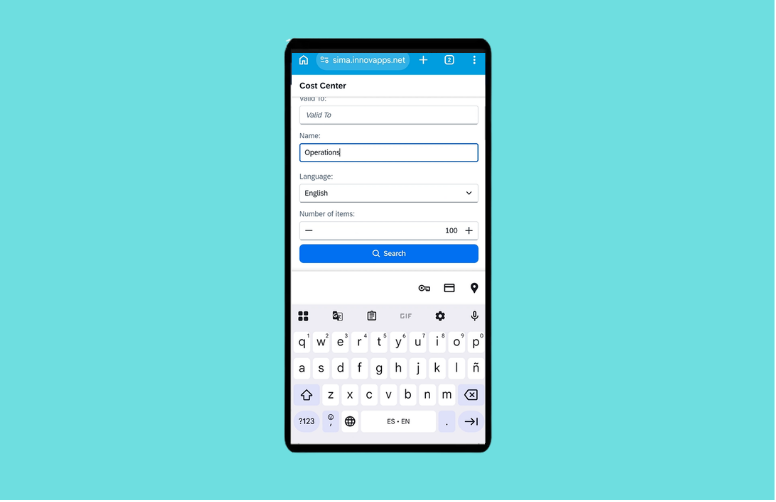
Creation and dispatch of material reservations in SAP
Creation and dispatch of material reservations in SAP with mobility SiMA USE CASE The standard material reservation process in SAP has clear operational limitations: it relies on SAP GUI, requires multiple manual steps and is not designed for mobility scenarios. In maintenance, production or field operations, this requires recording information outside the system […]
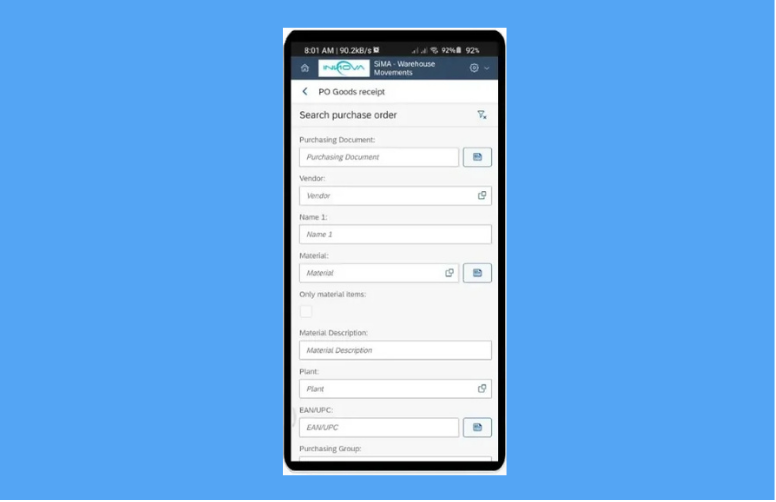
Goods receipt with barcode/QR scanning and photographic support
Goods receipt with barcode/QR scanning and photographic support SiMA USE CASE In standard SAP, goods receipt is often performed from SAP GUI or Fiori apps that require manual order and material lookup, and without a user experience designed for mobile devices and agile operation, making it difficult to operate in decentralized warehouse, loading dock or […]
Read more about solutions for SAP
English and Spanish. However, it can be translated into any language required by the client within approximately one week.
No, with the purchase of the application, any SAP user can use the application, according to the assigned permissions.
No, no activations or installations of additional SAP components are required. Upgrades are also not required.
No, SiMA registers transactions in SAP online, so a connection is required. However, this can be via wifi or data service in the case of phones.
Architecture
SiMA has an ABAP component within SAP (ECC or S/4HANA), and a front-end component that can be deployed at your convenience in either of these options:
OPTION 1
SaaS Architecture
Schedule a DEMO
The easiest and fastest option. From Innova we take care of deploying and serving the front-end component from our private cloud in Amazon Web Services, and you are free of installation, updates and maintenance. Communication via VPN site to site or SAP webdispatcher is required.
Requirements: SAP ECC version 6.0 or higher, up to latest version of SAP S/4HANA. Site to site VPN configuration or SAP Webdispatcher. Possibility of web service publication from SAP ECC.
OPTION 2
FES On-Premise Architecture
It is deployed on a front-end server managed by the client company. You are in charge, although we accompany you throughout the deployment until the productive implementation. Recommended in cases where there is no SAP Fiori server and SaaS deployment is not feasible.
Requirements: SAP ECC 6.0 up to the latest version of SAP S/4HANA. ABAP Backend Component (Installed via OT import). Possibility of web service publishing from SAP ECC or SAP S/4 Hana. FES (Front-end Server) and SSL certificate associated to the domain/server (only in case of On Premises installation).
OPTION 3
FIORI On-Premise Architecture

It is deployed on your SAP Fiori server and appears as another App in your SAP Fiori launchpad. If you have SAP Fiori already configured, this is the recommended option. Applies for separate servers and for embedded SAP Fiori.
Requirements: SAP ECC version 6.0 or higher, up to latest version of SAP S/4HANA. ABAP Backend Component (Installed via OT import) SAP ERP – SAP Fiori communication via already configured Gateway. Minimum versions of SAP Fiori components: SAP Gateway 740, SP 09 or higher (same in back-end [SAP ERP] and front-end [SAP Fiori]), SAP UI 754, SAP Fiori Front-End Server 6.0 or higher, SAPUI5 1.71
OPTION 4
BTP On-Premise Architecture

The application is deployed using Cloud Foundry container technology in SAP BTP, from where it consumes the services (SOAP or OData) published on the SAP server, via SAP Cloud Connector.
Requirements: SAP ECC 6.0 up to the latest version of SAP S/4HANA. ABAP Backend Component (Installed via OT import). Communication between SAP BTP and the SAP ERP server via cloud connector must be configured.
Complete list of functions
Here's what SiMA can do for you
- Purchase Order Entry.
- Reserve output.
- Transfers and departures without reservation
- Receipt of stock transfers
- Material document reversal
- Picking for deliveries.
- Post FS/MS for Deliveries.
- Service entry sheet
- MS for stock transport order deliveries
- GI for stock transport order without delivery
- Production Order Entry.
- Physical inventory with double counting
- TO: creation, confirmation of TO for deliveries. Manual creation.
- WM physical inventory (with bins).
- Barcode or QR code reading for inquiries or transactions.
- Printing and/or reading of barcodes applied to different scenarios (order no., material no., EAN code, IM or WM location no.) can be implemented.
- Registration of digital signature, name and/or geolocation.
- Generation of form in .pdf format with transaction data for paper elimination.
- Registration of SM for overbooking.
- Validation of personnel for delivery of merchandise, with external or internal databases (may involve additional costs).
- Query and print operations (IM stock query, WM stock query (with storage bins), Print material document, Maintain IM material storage bin, Print labels, Delivery monitor, Validate deliveries)